Choosing a camera for a child involves more than bright colors and a low price. A reliable Kids Digital Camera should survive small drops, fit smaller hands, and encourage independent creativity. It should also offer simple controls, clear menus, safe storage, and a battery that lasts beyond one short outing.
Industry data supports careful comparison. The Camera and Imaging Products Association reported roughly 8.5 million digital still camera shipments worldwide in 2024. Compact cameras remain relevant, even as smartphones dominate everyday photography. Common Sense Media also reported that 42% of children had their own tablet by age eight. Children are already comfortable with screens, but comfort does not guarantee good camera design.
Small hands matter.
This guide, “10 Tips for Choosing the Best Kids Digital Camera,” examines durability, image quality, age suitability, battery life, storage, screen design, waterproofing, privacy, accessories, and long-term value. Photography educator Chase Jarvis offers a useful principle: “The best camera is the one that’s with you.” For children, that camera must also be easy to carry and enjoyable to use.
No buying guide is perfect. A rugged case may reduce comfort, while a sharper lens can increase cost. Some children prefer instant prints; others want video, games, or creative filters. Parents should test the buttons, inspect sample images, and check charging details before purchase. Reports provide useful direction, but real experience often reveals the overlooked problem: a camera that looks exciting online may feel awkward after ten minutes.
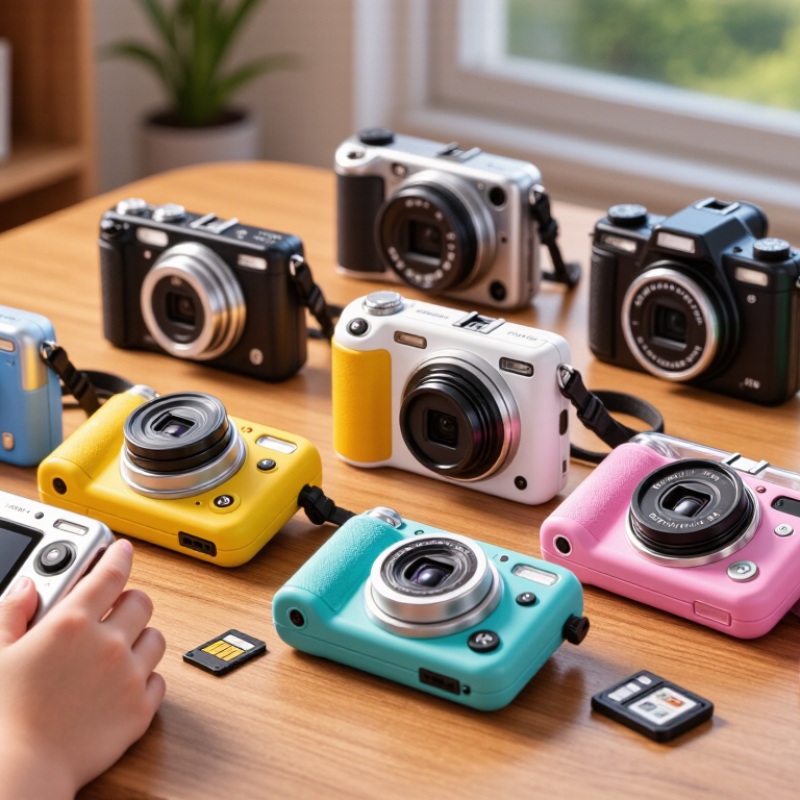
Choosing the best kids digital camera starts with your child’s age, patience, and curiosity. A preschooler often needs a simple, lightweight camera with large buttons and minimal menus. A school-age child may enjoy a model with a viewfinder, basic filters, and easy photo review. Teenagers usually want more control, better image quality, and quick file transfer. Their interests matter as much as their age.
Tip: Watch how your child plays. If they photograph toys, pets, or family moments, choose a camera with a close focusing range. If they enjoy outdoor adventures, prioritize a secure grip, protective casing, and simple controls. A camera that feels awkward may stay in a drawer. I once underestimated how important button placement was; my child kept pressing the wrong control and lost interest.
Think about learning, not only durability. A camera with automatic exposure can help beginners capture usable images without frustration. Older children might appreciate adjustable brightness, focus modes, or short video recording. Check the camera’s weight before buying. Small hands tire quickly during a long walk. Battery life also deserves attention, especially on school trips. Some children need creative freedom, while others need fewer choices. Too many effects can distract from observing light, color, and composition. My own preference for advanced features was not always suitable, and that is worth reconsidering.
Tip 1: Check the camera’s safety details before comparing colors or megapixels. Look for rounded edges, smooth seams, and a firmly secured battery compartment. A screw-locked cover is preferable to a loose latch. Avoid removable parts that could become choking hazards. If the camera connects online, review parental controls, privacy settings, and wireless options carefully. Children should not need unrestricted access to sharing features.
Tip 2: Test durability with everyday situations in mind. Can it survive a short table-height drop? Does the grip remain steady with small, slightly sweaty hands? A protective silicone cover may help, but it should not block buttons or the lens. Water resistance is useful during beach trips, yet it does not guarantee protection from deep water. I once focused too much on drop protection and overlooked the screen’s scratch resistance. That was a useful correction.
Tip 3: Child-friendly design should reduce frustration. Choose large buttons, clear icons, simple menus, and a lightweight body. A bright screen helps outdoors, while a comfortable wrist strap prevents accidental drops. The camera should start quickly and save photos without confusing delays. Complicated features can sound impressive, but children often prefer one button that works. Check the charging port, too. Small gaps collect sand quickly. Let the child hold the camera before buying it, because adult-sized comfort assumptions are often wrong.
When choosing a kids’ digital camera, compare image quality in real situations, not only megapixel numbers. A clear 8-by-10-inch print needs enough detail, but children often photograph moving pets, playgrounds, and dim rooms. Look for natural colors, controlled highlights, and acceptable indoor noise. Take sample photos near a window and outside at noon. Check faces at full zoom. Some cameras produce bright, cheerful images that lose fine texture. That may be fine for stickers, but less suitable for family albums.
Controls should feel obvious without making the camera feel limited. Large buttons, a readable screen, and a simple menu reduce frustration. Test the shutter response with a moving subject. A delayed capture can turn a bicycle into an empty path. Keep it simple. Physical controls also matter when small fingers wear gloves or hands are wet from outdoor play. Avoid complicated settings unless an adult plans to teach them. I once underestimated menu depth; a child abandoned the camera after several confusing taps.
Creative features should encourage careful looking rather than endless effects. Self-timers, simple frames, burst shooting, and short video modes are useful choices. Filters should be reversible, or the original image may disappear. Check whether storage is expandable and files transfer easily. A sturdy body cannot rescue poor ergonomics. Let the child hold the camera for five minutes. Watch where fingers rest, whether the screen glares, and if the strap feels secure.
A camera should survive several hours of ordinary photos and short videos. Rechargeable batteries are convenient, but replacement batteries may help during long trips. Pack a cable.
A small memory card can fill quickly when children record videos. Choose expandable storage with enough space for a full day’s activity. Confirm that the card is compatible and easy to insert. Tiny slots can frustrate small hands.
Large buttons, clear icons, and a bright screen reduce confusion. A child should capture a photo without adult instructions. Menus should stay simple. Extra games and filters may look exciting, yet they can distract from photography.
In my experience, battery indicators are not always accurate. A camera showing half power may shut down during cold outdoor play. I now test devices before family outings and carry a backup charging option. It feels excessive, but missed moments are difficult to recreate. Also inspect the grip, shutter response, and charging port. If the camera feels awkward after five minutes, daily use may become unlikely. The best choice is not the most advanced model. It is the one a child can use confidently, store safely, and recharge with minimal help.
10 Tips for Choosing the Best Kids Digital Camera
Balance Price, Accessories, and Long-Term Value
Tip 1: Set a realistic budget before comparing features. A cheap camera can become expensive after replacing weak batteries or missing accessories. Tip 2: Check what the package includes. A protective case, wrist strap, charging cable, and memory card add immediate value. Tip 3: Examine build quality closely. Rounded edges, rubber grips, and covered ports matter when small hands drop equipment. Tip 4: Test the buttons. Children should press them easily without needing constant adult help. Small controls can quickly become frustrating.
Tip 5: Do not choose by megapixels alone. A simple camera with reliable focus may create better family photos than a higher-rated model with confusing menus. Tip 6: Review battery performance in real use. A camera that lasts through a park visit is more useful than one needing frequent charging. Tip 7: Consider storage costs. Expandable storage can prevent deleted memories, but confirm compatibility before buying. Tip 8: Check the screen in daylight. Dim displays make outdoor photography unnecessarily difficult. I have found this detail easy to overlook.
Tip 9: Look for a clear warranty and practical return policy. These protections support long-term value when buttons fail or charging becomes unreliable. Tip 10: Think about the child’s next year, not only today. Adjustable settings, basic video, and simple creative effects can extend interest. Avoid paying for complicated features that adults will manage. A trusted retailer’s specifications and safety information should match the product packaging. Also, read independent user feedback carefully; repeated complaints about fragile ports deserve attention.
These practical evaluation weights help families compare image quality, durability, usability, accessories, and long-term ownership value without relying on brand-specific data. A balanced choice should consider more than the initial purchase price.
Choose a lightweight camera with large buttons, simple menus, and automatic exposure. Fewer choices often reduce frustration.
A viewfinder, easy photo review, basic filters, and short video recording can support creative play. Keep controls clear.
Watch what your child photographs. Close focus helps with toys and pets, while a secure grip suits outdoor adventures.
Small hands tire during long walks. If the camera feels uncomfortable after five minutes, it may stay unused.
Look for several hours of ordinary photos and short videos during real play. Carry a charging cable or backup option.
Choose expandable storage with enough room for a full day. Videos can fill a small memory card quickly.
Large buttons, clear icons, and a bright screen help children work independently. Tiny slots and confusing menus can discourage them.
Not necessarily. Reliable focus and simple controls may produce better family photos than complicated specifications.
A protective case, wrist strap, charging cable, and compatible memory card can help immediately. Check the package carefully.
Consider next year’s interests, battery reliability, warranty terms, and return options. Advanced features are wasteful if adults must operate everything.
Choosing the best Kids Digital Camera starts with understanding your child’s age, interests, and confidence level. Younger children may benefit from a simple, lightweight camera with large buttons and straightforward controls, while older kids may enjoy more creative options, such as filters, frames, video recording, or manual adjustments. Safety and durability are also essential, so look for a sturdy, child-friendly design with comfortable handling and materials suitable for everyday use. A clear display, responsive controls, and acceptable image quality can make photography more enjoyable and help children learn through practice.
It is also important to evaluate battery life, storage capacity, charging convenience, and the overall ease of use. A camera that works reliably and offers simple file management will create less frustration for both children and parents. Finally, compare the price with included accessories, protective features, and expected longevity. The best choice is not always the cheapest option; it should provide a balanced combination of safety, creative value, usability, and lasting enjoyment as your child’s skills develop.