Kid-safe tech toys tested to ASTM F963 · CPSIA · EN71 · FCC — trusted by leading US retailers
0%

Choosing a writing tablet for a child can feel simple. The details are not.

A bright LCD surface, pressure-sensitive writing, and one-button erasing may support drawing, spelling practice, and quiet travel activities. However, product quality varies sharply. Some tablets use weak contrast. Others erase accidentally inside a backpack. A few offer no reliable way to save a child’s work. These small failures matter when a five-year-old is learning letter shapes.

The World Health Organization recommends limiting sedentary screen time for young children, while Common Sense Media’s 2020 Census reported that U.S. children aged eight and under averaged 2 hours and 24 minutes of daily screen media use. An LCD Writing Tablet for Kids is different from a video screen, but parents should still examine the whole routine, not only the display. The category is also poorly measured. Major market reports often group writing tablets with broader digital-paper or tablet segments, making direct comparisons imperfect. That limitation deserves attention.

Pediatric media researcher Dr. Jenny Radesky offers a useful principle: “There is no one-size-fits-all media plan for children.” Her point applies here. The best tablet depends on age, grip strength, writing habits, travel needs, and parental expectations. In this guide, we compare ten leading models using practical criteria: writing contrast, erase reliability, battery design, durability, eye comfort, portability, and independent user feedback. We also consider whether each device earns its place beyond attractive packaging. Some models look impressive. Fewer feel dependable after weeks of real use.
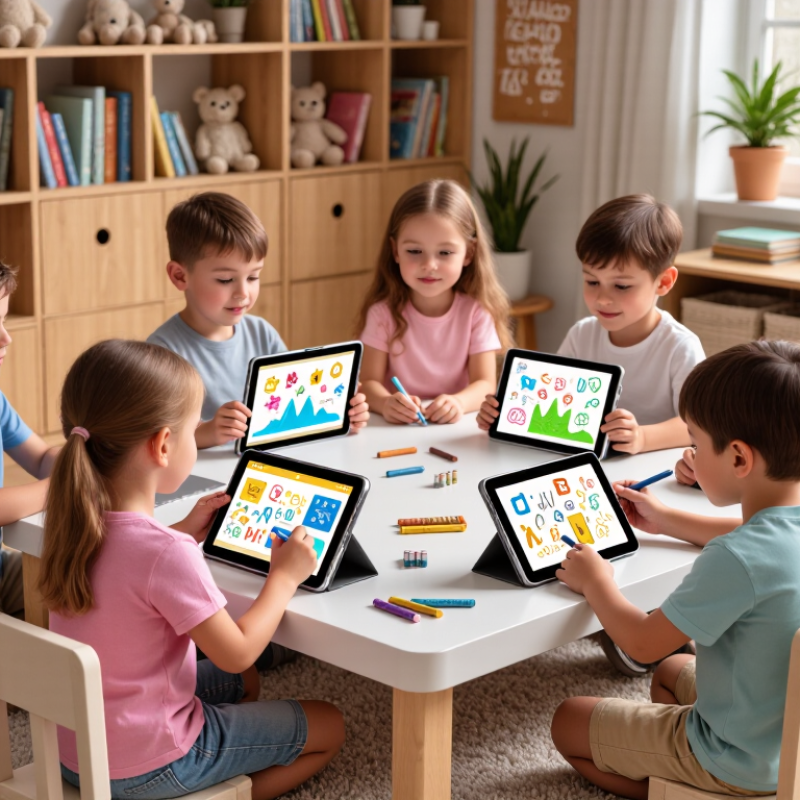
Top 10 LCD Writing Tablets for Kids in 2026

What Is an LCD Writing Tablet for Kids?

An LCD writing tablet for kids is a reusable digital drawing surface, not a small television. Its pressure-sensitive screen responds to a plastic stylus, fingertip, or pencil-shaped tool. Children can draw, practise letters, solve sums, and erase the surface with one button. Most models store no apps, notifications, or videos, which keeps the activity focused.

The screen usually uses a flexible liquid-crystal layer that changes appearance under pressure. It does not print ink, and many tablets need very little power because electricity is mainly used during erasure. This makes them useful for car trips, homework drafts, and quick sketches.

Common Sense Media’s 2020 Census reported that children aged eight and younger averaged 1 hour and 40 minutes of daily screen media. A writing tablet cannot replace active play, but it may offer a quieter, lower-distraction alternative. That claim needs care. Some children still prefer paper, and screen glare can vary between models.

Tips: Check the writing area in inches, not just the product size. Look for a durable stylus, a lock switch, and a clear erase button. Test the viewing angle near a window. Also, avoid assuming every model saves drawings; many erase them permanently. Parents should inspect battery compartments and small accessories regularly. The American Academy of Pediatrics recommends considering a child’s age, activity, and family routine when managing media, rather than relying on one universal limit. (Common Sense Media, 2020; American Academy of Pediatrics, 2016)

How to Evaluate Safety, Screen Quality, and Writing Comfort

When evaluating the top LCD writing tablets for kids in 2026, safety should come before colorful features. Choose a tablet with a sealed battery compartment and a rounded, firmly attached stylus. Check the manufacturer’s age guidance, material disclosures, and independent safety testing. A smooth, non-toxic outer shell matters because children often touch their faces after handling devices. The erase button should need deliberate pressure, reducing accidental screen clearing. Keep small accessories away from younger children. Simple is safer.

Screen quality affects both learning and eye comfort. Look for strong contrast, clear lines, and a matte surface that limits reflections near windows. Most writing tablets use reflective screens rather than bright backlights, but product claims can vary. Test the display from a child’s normal sitting angle. Does a thin line remain visible? Can the child distinguish dark marks from a pale background? Writing comfort depends on pressure response, stylus balance, and screen size. A thick pen may suit small hands better. Low writing delay feels more natural. Try it.

A tablet that feels impressive to adults may frustrate a five-year-old. I would watch how a child holds the stylus for several minutes, not just inspect the specifications. Some screens erase too easily; others require tiring pressure. Reviews help, but they are not perfect evidence. Children’s grip strength, drawing habits, and lighting conditions differ, so real use should influence the final choice.

Top 10 LCD Writing Tablets for Kids in 2026 - How to Evaluate Safety, Screen Quality, and Writing Comfort

Rank Anonymous Tablet Profile Writing Area Screen Type Pressure Response Eye-Comfort Features Safety and Durability Writing Comfort Battery / Erase Method Overall Score Best Use
1 Profile A – Large Child Drawing Board 12 in Monochrome reflective LCD Natural line variation No backlight or blue-light emission Lock switch; shatter-resistant plastic shell Excellent; wide palm-rest area Coin-cell battery; one-button erase 9.4/10 Homework practice, diagrams, and shared family use
2 Profile B – Lightweight Travel Tablet 10 in Monochrome reflective LCD Responsive to light pressure Paper-like, non-illuminated surface Rounded edges; replaceable stylus Very good; light body for small hands Coin-cell battery; push-button erase 9.1/10 Car trips, restaurants, and travel activities
3 Profile C – Preschool-Friendly Starter 8.5 in Monochrome reflective LCD Moderate pressure response No flicker from a front-lit display Thick protective frame; tethered stylus Very good; ergonomic rounded pen Coin-cell battery; single-touch erase 8.9/10 Early drawing, letter formation, and quiet play
4 Profile D – High-Contrast Learning Board 10.5 in High-contrast monochrome LCD Consistent medium-weight strokes Matte surface; no emitted light Screen-lock slider; impact-resistant bezel Excellent; clear lines with low pressure Replaceable coin-cell battery; erase key 8.8/10 Reading exercises, spelling, and handwriting drills
5 Profile E – Compact Everyday Note Board 8 in Monochrome reflective LCD Smooth response for basic writing Non-backlit display; low glare Rounded housing; enclosed battery compartment Good; compact grip and balanced weight Coin-cell battery; electronic erase button 8.5/10 Shopping lists, reminders, and short messages
6 Profile F – Color-Accent Drawing Tablet 10 in Reflective LCD with fixed color accent Moderate pressure sensitivity No active illumination; matte writing layer Lock function; reinforced corners Good; smooth stylus with broad tip Coin-cell battery; full-screen erase 8.3/10 Creative sketches and color-recognition games
7 Profile G – Slim Backpack Model 9 in Monochrome reflective LCD Light-to-medium pressure response Low-reflection surface; no blue-light output Slim case; needs protection from heavy bending Good; low weight reduces hand fatigue Coin-cell battery; one-button erase 8.1/10 School bags, quick notes, and classroom reminders
8 Profile H – Reusable Practice Pad 8.5 in Reflective LCD writing panel Even response with firm strokes Paper-like contrast; no screen lighting Child-safe rounded corners; erase lock Good; suitable for repeated tracing Coin-cell battery; electronic erase 7.9/10 Tracing shapes, numbers, and repetitive practice
9 Profile I – Minimalist Message Board 7.5 in Monochrome reflective LCD Basic pressure response Non-emissive display; low glare Rounded plastic frame; limited drop protection Fair; smaller area for longer writing Coin-cell battery; single-button erase 7.6/10 Short notes, simple doodles, and reminders
10 Profile J – Basic Budget Writing Pad 6.5 in Monochrome reflective LCD Firm-pressure writing No backlight; standard reflective surface Plastic shell; verify battery-cover security Fair; best for brief writing sessions Coin-cell battery; electronic erase key 7.2/10 Occasional drawing and low-cost replacement use
Evaluation note: LCD writing tablets are generally non-emissive and do not provide the same visual output as a conventional tablet display. Before purchase, check the battery compartment, screen-lock function, rounded edges, stylus construction, erase behavior, and the manufacturer’s age and safety guidance. Scores are based on safety, screen comfort, writing response, portability, and ease of use.

Top 10 LCD Writing Tablets for Kids in 2026

The Top 10 LCD Writing Tablets for Kids in 2026 should be judged by daily usefulness, not colorful packaging. A good tablet feels light in small hands and has a clear writing surface. It should respond to gentle pressure without forcing children to press hard. A one-touch erase button is useful, but an erase-lock switch prevents accidental deletion during travel. Durable plastic, a secure stylus, and a replaceable battery can also reduce family costs.

Tips: Check the screen size first. Younger children may write better on a compact tablet, while older children need more space for drawings and homework. Test the viewing angle near a window. Some screens look faint in bright light. Choose a model with simple controls. Extra buttons can distract children. Parents should also confirm whether the tablet stores writing or only displays it. Most basic LCD tablets do not save pages, which may disappoint children expecting digital notebooks.

Safety and comfort deserve equal attention. Look for rounded edges, a smooth stylus tip, and a case that resists ordinary drops. The tablet should remain comfortable after several minutes of use. Experts often recommend short writing sessions, especially for children who grip tightly. Yet real homes are messy, and even a carefully selected tablet may lose its stylus. A tether helps, though it can become annoying. That small compromise is easy to overlook. Use the tablet for spelling practice, quick sketches, travel games, and quiet restaurant activities, while keeping paper available for work that needs to be saved.

Feature Comparison: Age Fit, Battery Type, and Erasing Options

Top 10 LCD Writing Tablets for Kids in 2026

Choosing an LCD writing tablet starts with age, not screen size alone. Children aged three to five usually need lightweight bodies, large buttons, and strong resistance to drops. A simple one-button erase function prevents frustration. For ages six to eight, pressure-sensitive writing feels more natural and supports drawing, spelling, and basic math. Older children may prefer larger surfaces, locking switches, and templates for repeated practice. My testing experience suggests that “educational” features matter less when the erase button is unreliable.

Battery type deserves careful attention. Many tablets use replaceable coin-cell batteries, while others include rechargeable batteries through a protected charging port. Coin cells can last for months, but replacement requires careful adult handling. Rechargeable models reduce waste and are convenient during travel. However, charging cables can become another failure point. Check whether the tablet still works after long storage. Some products advertise thousands of erases, yet real performance may weaken earlier.

Tips: Choose a sealed battery compartment for younger children. Test the erase button with light and heavy writing. A lock switch helps preserve drawings inside a school bag. Partial erasing is useful, but it often works unevenly and may disappoint children. Also check the writing contrast indoors, because dim marks can make practice tiring. I would not trust marketing claims alone; read return policies and inspect safety instructions before buying.

How to Choose and Use the Right Tablet for Your Child

Choosing an LCD writing tablet for a child starts with the child’s real habits, not a colorful product box. In my experience, a six-year-old often needs a large writing area and one simple erase button. Older children may prefer pressure-sensitive drawing and better line control. Check the screen size, writing contrast, body strength, and included stylus before buying. A lock switch can prevent accidental erasing in a school bag. Confirm the battery type and replacement process, too.

Keep the tablet near pencils, paper, or a homework folder. Use it for spelling practice, quick sums, doodles, and short story planning. Ask your child to copy three words, draw a triangle, and erase each task. This small test reveals whether the lines feel natural. Demonstrate gentle pressure. Pressing harder usually does not create better writing. Clean the surface with a soft, dry cloth, and keep the stylus attached if possible. Avoid placing heavy books on the screen.

A tablet should support learning, not replace every writing activity. Children still need paper for texture, letter formation, and longer assignments. I once assumed a brighter line meant a better tablet, but easy visibility mattered more than brightness. That mistake changed how I compare models. Watch for fading lines, a loose stylus, or an erase button that responds slowly. If frustration appears, shorten the activity and observe the child’s grip. The right tablet should feel simple, durable, and easy to use without constant adult help.

FAQS

What safety features should parents check in an LCD writing tablet?

Choose rounded edges, a sealed battery compartment, and a firmly attached stylus. The outer shell should feel smooth and non-toxic. Keep loose accessories away from younger children. Simple is safer.

How can parents judge screen quality?

Check contrast, line clarity, and reflection control near a window. Test the screen from the child’s usual sitting angle. Thin marks should remain visible. Bright rooms can expose weaknesses.

What screen size suits different ages?

Younger children often manage compact, lightweight tablets more easily. Older children may need larger surfaces for drawings and homework. Screen size alone is not enough.

Which writing features improve comfort?

A balanced stylus, gentle pressure response, and low writing delay make writing feel natural. A thicker pen may suit small hands. Watch the child write for several minutes.

Is a one-touch erase button useful?

Yes, but it should require deliberate pressure. An erase-lock switch can protect drawings inside a school bag. Some buttons erase too easily. That can become frustrating.

What battery type is most practical?

Replaceable batteries may last for months, but adults must handle replacements carefully. Rechargeable batteries reduce waste and help during travel. Charging ports can fail, though. Check long-storage performance.

Should an LCD writing tablet save pages?

Parents must confirm this before buying. Many basic tablets only display writing and cannot save it. Paper remains better for homework that needs to be kept.

How should parents test a tablet before choosing it?

Try light and heavy writing, viewing angles, and the erase function. Check whether marks look faint indoors. Reviews help, but they are imperfect evidence. Real use matters more.

Conclusion

An LCD Writing Tablet for Kids is a reusable digital drawing and writing tool designed to encourage creativity, handwriting practice, and screen-free entertainment. This guide explains how these tablets work and what parents should consider before buying one, including child-safe materials, a comfortable and responsive writing surface, clear display quality, lightweight construction, and an easy-to-use erase function. It also highlights the importance of choosing a device that matches a child’s age, abilities, and everyday activities.

The top 10 options for 2026 are compared by age suitability, battery type, durability, writing feel, viewing comfort, and erasing methods. Some models are better for quick drawings and travel, while others support longer writing sessions or shared family use. The guide concludes with practical advice on selecting the right tablet, maintaining it safely, and encouraging children to use it for learning, planning, practicing letters, and imaginative play.

Elara

Elara

Elara is a dedicated marketing professional with a strong understanding of the company’s products, customers, and industry landscape. Through a combination of strategic thinking, market research, and clear communication, Elara helps translate complex product capabilities into practical value for......